Signup Instructions for Swims and Jobs at Meets
Below are step-by-step instructions on how to declare your swimmer's availability. We ask that you declare your swimmer's availability ASAP
Please notify Coach James ASAP directly via e-mail or Remind if you have an emergency or illness.
We have some "How To" guides for parents in our Help Center that give step-by-step instructions on navigating SwimTopia, with screenshots if you'd like to share those with your team.
How to Register for Swims at a Meet:
Log in to the website. Login is found in the upper right-hand corner of the screen.
If you can’t remember your password, click "Forgot your password" to reset your password.
Under the Meets & Events tab, select "Signup Calendar" to sign up for a swim meet.
Swimmer Signup
Please declare your athlete(s) attendance.
- Click the green MEET ENTRY tab, and then click the green Edit tab under your athletes' names.
- For each of your athletes, please select an option from the drop-down list next to their names.
- (undeclared)
- Attending
- Not Attending
- Click Save to record your choices.
Download Swimtopia App and Remind App

Your Team, Your Swimmers, Your Events!
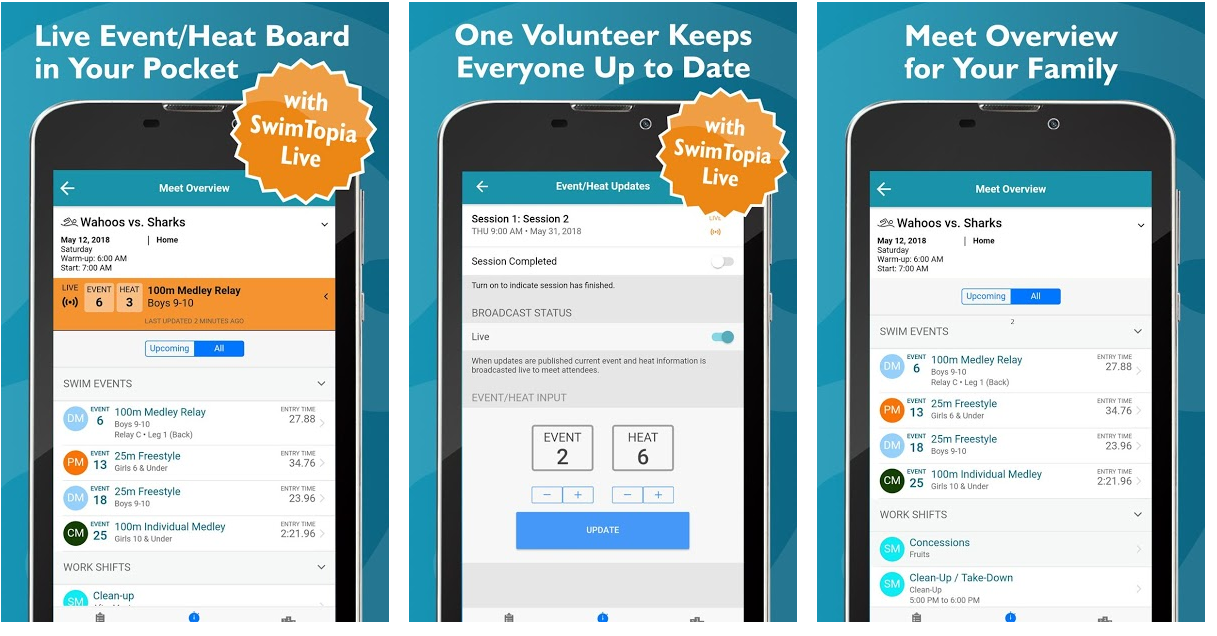
SwimTopia’s mobile app is available to all members of teams with a SwimTopia website. SwimTopia mobile app features include:
- Personalized calendar view of upcoming meets and events
- Personalized Meet Overview for your family (including swim events and volunteer jobs)
- Your swimmers’ best times
- Your swimmers’ swim history
- Post-meet results for your family’s swimmers
For weather updates and other important announcements pertaining to practices and meets, Bridgemill Bluefin uses the Remind App!
Text @bbluef to the number 81010



You will receive a welcome text from Remind. Having trouble with 81010? Try texting @bbluef to (530) 314-7464